Chapter 17: Monitoring & Observability
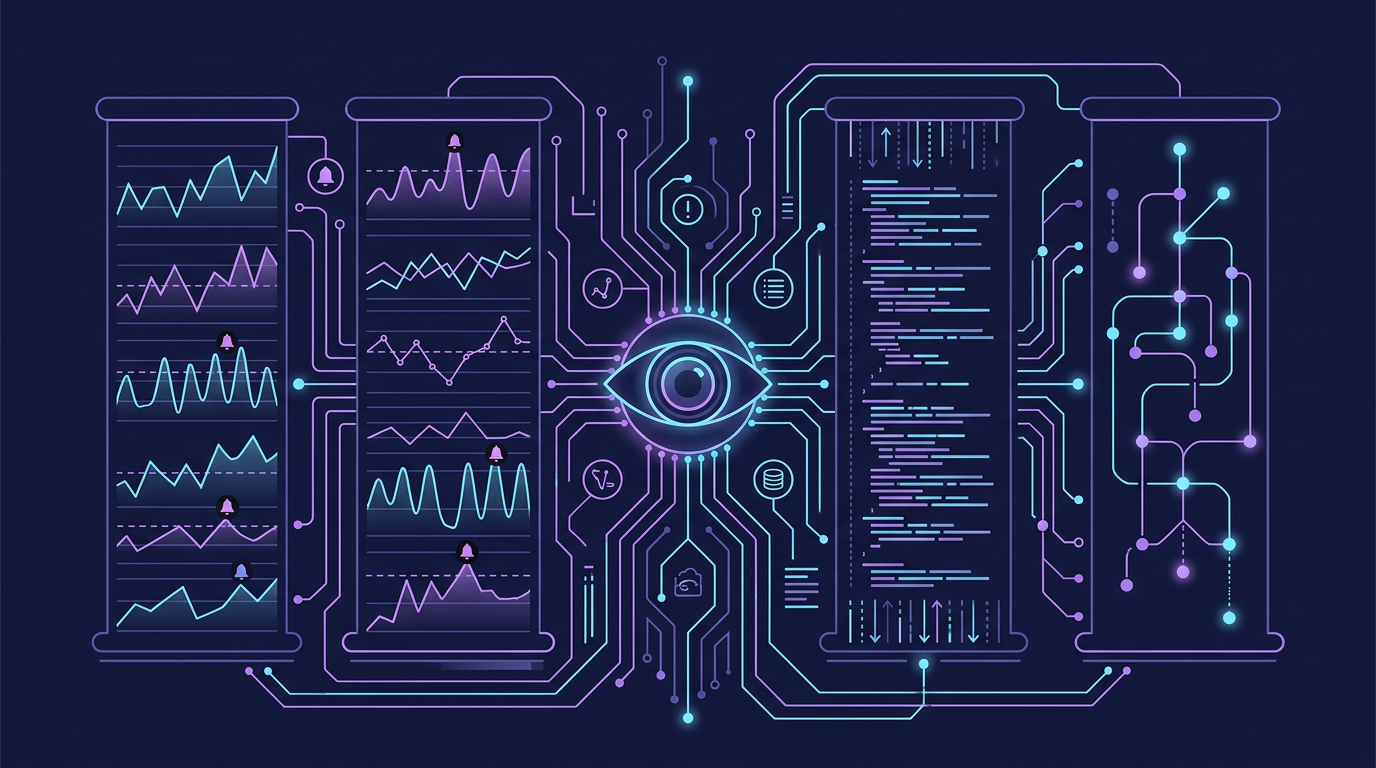
Monitoring tells you when something is wrong. Observability tells you why. The difference is whether your system was built to be questioned.
Mind Map
The Observability Signals
Historically framed as "three pillars," observability in 2026 is better understood as four signals: metrics, logs, traces, and the emerging fourth signal — continuous profiling. All four are standardized under OpenTelemetry (OTel), which is now the de facto instrumentation layer across the industry.
| Dimension | Metrics | Logs | Traces | Profiling |
|---|---|---|---|---|
| What is it? | Numeric measurements over time | Timestamped text/structured records | Request journey across services | Continuous CPU/memory/allocation flame graphs |
| Granularity | Aggregated (not per-request) | Per-event | Per-request, cross-service | Per-process, sampled continuously |
| Best for | Dashboards, alerting, trends | Debugging specific events | Latency attribution, dependency mapping | Finding hot code paths; unexplained CPU/memory cost |
| When to use | "Is something wrong?" | "What happened at 14:03:22?" | "Which service added 800ms?" | "Which function is burning CPU at 4 AM?" |
| Cost | Low (aggregates) | Medium (storage scales with volume) | High (sampling required at scale) | Low–medium (eBPF-based has <1% CPU overhead) |
| Common tools | Prometheus, Datadog, Atlas | ELK Stack, Loki, CloudWatch | Jaeger, Zipkin, Grafana Tempo | Parca, Pyroscope, Grafana Profiles |
| OTel status | GA (stable) | GA (stable) | GA (stable) | RC (targeting GA Q3 2026) |
You need all four. Metrics tell you latency spiked; logs tell you which user was affected; traces tell you which service in the call chain caused it; profiling tells you which function inside that service is burning CPU or allocating memory unexpectedly.
Profiling as the 4th Signal (as of 2026)
OpenTelemetry's profiling signal entered Release Candidate in Q1 2026, targeting GA by Q3 2026. It uses eBPF-based continuous CPU/memory sampling and Linux perf format, exportable via OTLP. Production tools like Grafana Pyroscope and Parca can already receive OTel profiling data. Frame it as "emerging GA" — not experimental, not yet fully standardized.
Metrics Types
Prometheus and most metrics systems define three fundamental types:
| Type | Definition | Example Use Cases | Example Values |
|---|---|---|---|
| Counter | Monotonically increasing integer, only goes up (resets on restart) | Total HTTP requests, total errors, total bytes sent | http_requests_total{method="GET", status="200"} 10482 |
| Gauge | Arbitrary value that can go up or down | CPU %, active connections, queue depth, memory usage | queue_depth{queue="payments"} 42 |
| Histogram | Samples observations into configurable buckets, exposes _count, _sum, _bucket | Request latency distribution, request size | http_duration_seconds_bucket{le="0.1"} 8234 |
Why Histograms Matter: Percentiles vs. Averages
Averages hide tail latency. A p99 latency of 2s means 1% of your users wait 2 seconds — that can be thousands of users. Always alert on percentiles (p95, p99, p999) for latency metrics.
p50 = 50ms  ← Typical user
p95 = 200ms ← Most users
p99 = 800ms ← Tail (worst 1%)Prometheus computes percentiles from histograms server-side using histogram_quantile(0.99, ...).
Distributed Tracing
In a microservices system, a single user request may fan out to 10+ services. Traditional logging — per-service — cannot answer "which service is slow." Distributed tracing reconstructs the full call tree.
Core Concepts
- Trace: The complete journey of one request, from entry point to all leaf calls
- Span: One unit of work within a trace (e.g., one service call, one DB query)
- Correlation ID / Trace ID: A unique ID injected at the entry point and propagated via HTTP headers (
X-Trace-ID) to every downstream call - Parent-child spans: Each span records its parent span ID, enabling tree reconstruction
Trace Sequence Example
Span Tree Visualization
abc123 [120ms total]
├── span_001: Auth (User Service)  [15ms]
└── span_002: Order Service        [98ms]
└── span_003: DB Query [45ms]This immediately surfaces that the DB query and Order Service overhead account for 98ms, making optimization target obvious.
Sampling Strategies
At 10,000 req/sec, storing every trace is prohibitively expensive. Two approaches:
| Strategy | How It Works | Pros | Cons |
|---|---|---|---|
| Head-based | Decide at trace start (random %) | Low overhead, simple | Misses rare errors |
| Tail-based | Buffer full trace, decide after completion based on outcome | Captures all errors/slow requests | Higher memory/processing cost |
Production recommendation: sample 1% normally, 100% of errors and traces > p99 latency threshold.
W3C TraceContext: Trace Propagation Standard
Distributed tracing requires trace and span IDs to flow across service boundaries via HTTP headers. W3C TraceContext (RFC 2019) defines the standard:
traceparent: 00-4bf92f3577b34da6a3ce929d0e0e4736-00f067aa0ba902b7-01
             ^^  ^^^^^^^^^^^^^^^^^^^^^^^^^^^^^^^^ ^^^^^^^^^^^^^^^^ ^^
version trace-id (128-bit) parent-span-id flagsEvery service reads this header, creates a child span with the parent-span-id, and propagates the same trace-id to downstream calls. No proprietary vendor format needed.
Tracing Tools Comparison
| Jaeger | Zipkin | Grafana Tempo | |
|---|---|---|---|
| Storage backends | Cassandra, Elasticsearch, in-memory | MySQL, Cassandra, Elasticsearch | Object storage (S3, GCS, Azure Blob) |
| UI | Full-featured: trace timeline, service dependency graph | Simpler: trace list + timeline | Minimal native UI; relies on Grafana |
| Sampling | Head-based and adaptive (remote controlled) | Head-based | Delegated to OTel Collector |
| OpenTelemetry | Native OTLP support | Via adapter | Native OTLP (primary protocol) |
| Integration | CNCF project, Kubernetes-native | Widely adopted, many client libs | Grafana stack (pairs with Prometheus + Loki) |
| Scale | Medium-large | Medium | Very large (object storage = cheap at scale) |
| Deployment | Moderate complexity | Simple | Simple (no search index needed) |
| Cost | Free (Elasticsearch costs extra) | Free | Free (storage cost only) |
| Best for | Kubernetes microservices, CNCF stack | Existing Zipkin instrumentation | Grafana-centric observability stacks |
OpenTelemetry
OpenTelemetry (OTel) is a CNCF project that provides a vendor-neutral standard for instrumentation, collection, and export of telemetry data — traces, metrics, and logs — under a single unified API and SDK.
Before OTel, each observability vendor required its own SDK. Switching from Jaeger to Datadog meant re-instrumenting every service. OpenTelemetry solves this with a single instrumentation layer and pluggable exporters.
Three Pillars Unified
OTLP (OpenTelemetry Protocol) is the wire format. It runs over gRPC (port 4317) or HTTP/protobuf (port 4318). Any backend that speaks OTLP can receive OTel data.
OTel Collector Architecture
The Collector is an optional but recommended middle tier. It decouples instrumented apps from backend destinations:
Collector benefits:
- Tail-based sampling at the Collector level (buffer spans, sample on outcome)
- Data transformation: filter PII from logs, rename labels, add resource attributes
- Multi-backend export: send same data to two backends simultaneously (migration, redundancy)
- Decoupled upgrades: swap backends without touching application code
Auto-Instrumentation vs Manual Instrumentation
| Dimension | Auto-Instrumentation | Manual Instrumentation |
|---|---|---|
| How | Agent/bytecode injection at startup, no code changes | Developer adds tracer.start_span() calls in code |
| Effort | Zero code changes | Per-operation instrumentation required |
| Coverage | HTTP clients, DB drivers, frameworks (Spring, Express, Django) | Any custom business logic, critical paths |
| Span quality | Generic (framework-level, missing business context) | Rich (custom attributes: user_id, order_id, feature flags) |
| Latency | Slight overhead from agent | Minimal (only instrumented operations) |
| Maintenance | Agent version updates | Code changes when logic changes |
| Best for | Getting started, standardizing infrastructure calls | High-value business operations, SLO-critical paths |
Recommendation: Use auto-instrumentation as the baseline (catches all HTTP and DB calls), then add manual spans around critical business operations (payment processing, fraud check, recommendation engine) where custom attributes are needed for debugging.
OTel Language Support
OTel provides SDKs for all major languages: Java, Python, Go, JavaScript/Node, .NET, Ruby, Rust, C++, PHP. Auto-instrumentation is most mature for Java (via Java agent) and Node.js (via @opentelemetry/auto-instrumentations-node).
Cross-reference: Chapter 16: Reliability Patterns for SLO-driven reliability engineering. Chapter 23: Cloud-Native Architecture for OTel in Kubernetes.
eBPF-Powered Observability (2026)
Extended Berkeley Packet Filter (eBPF) allows safe, sandboxed programs to run inside the Linux kernel without modifying kernel source or loading kernel modules. In observability, this unlocks something previously impossible: full application telemetry — function calls, network flows, file I/O, system calls — with near-zero overhead and zero application code changes.
As of 2026, CNCF survey data shows 67% of teams running Kubernetes at scale have adopted at least one eBPF observability tool, with 300% year-on-year growth. eBPF is no longer an advanced topic — it is the practical answer to the "how do I instrument a polyglot service mesh without touching every service's code?" problem.
Why eBPF Changes the Observability Model
Traditional observability requires either:
- SDK instrumentation: developers add tracing/metrics code to each service (coupled, language-specific)
- Sidecar proxies: Envoy/Linkerd sidecars intercept traffic (works for L4/L7 but adds 50–100ms cold overhead and memory per pod)
eBPF operates at the kernel level, intercepting events from any process on the node — regardless of language, framework, or whether a sidecar is present. Key advantages:
| Property | Traditional Agent | eBPF-Based |
|---|---|---|
| CPU overhead | 5–15% | < 1% |
| Code changes required | Yes (SDK) | None |
| Language-agnostic | No | Yes |
| Kernel/syscall visibility | No | Yes (security events, file I/O) |
| Precision | Millisecond | Microsecond |
| Works with sidecars | Complements | Can replace for L4 visibility |
The 2026 eBPF Observability Stack
Key tools in the stack (as of 2026):
- Cilium — eBPF-native Container Network Interface (CNI). Provides L3–L7 network policy, service mesh connectivity, and full network flow visibility via its companion UI Hubble. When combined with Istio ambient mode (see Ch13), Cilium handles the data-plane while Istio handles control-plane policy — replacing per-pod sidecar proxies entirely.
- Tetragon — security-focused eBPF tool from Isovalent (Cilium's creators). Captures process execution, file access, and network connections at the syscall level. Useful for runtime threat detection without a dedicated security agent.
- Pixie — auto-instrumented APM (Application Performance Monitoring) from New Relic. Captures HTTP/1.1, HTTP/2, gRPC, MySQL, PostgreSQL, Redis traffic — with request/response bodies — without any SDK. Run
px run px/http_dataand get per-endpoint latency histograms in seconds. - Grafana Beyla — generates OTel-compatible spans from eBPF-intercepted HTTP, gRPC, and SQL calls. Designed to feed the OTel Collector directly, plugging eBPF-sourced traces into a standard Grafana/Tempo/Jaeger stack with zero application modification.
When to Adopt eBPF Observability
| Situation | Recommendation |
|---|---|
| Polyglot microservices (Go, Java, Python, Rust mix) | Strong fit — no per-language SDK needed |
| Kubernetes-native deployments | Strong fit — node-level eBPF agents deploy as DaemonSets |
| Security compliance requiring syscall audit | Use Tetragon for runtime enforcement |
| Replacing sidecar service mesh overhead | Cilium eBPF + ambient Istio reduces memory 90%, latency 25% |
| Legacy monolith on bare metal (non-Kubernetes) | Limited — eBPF tools are Kubernetes-optimized |
| Teams already invested in OTel SDK instrumentation | Complement with Beyla/Pixie; don't replace rich manual spans |
eBPF Observability and OTel are Complementary
eBPF tools like Beyla and Pixie export OTel-compatible telemetry — they feed into the same OTel Collector pipeline as SDK-based instrumentation. The pattern for 2026: use eBPF for infrastructure-level and network-level visibility (zero effort), use OTel SDKs for business-logic-level spans (high-value custom attributes like order_id, user_tier). Both flow into the same Grafana/Jaeger/Tempo backend.
Log Aggregation Pipeline
Individual service logs are useless if you cannot search them across all instances. A log aggregation pipeline centralizes logs from every container, VM, and serverless function:
Structured logging (JSON over plaintext) is essential for the search step. A structured log line:
{
  "timestamp": "2026-03-12T00:40:00Z",
  "level": "ERROR",
  "service": "order-service",
  "trace_id": "abc123",
  "user_id": "user_789",
  "message": "Payment timeout after 5000ms",
  "duration_ms": 5000
}This allows queries like: level:ERROR AND service:order-service AND duration_ms:>3000.
SLI / SLO / SLA
Google's Site Reliability Engineering introduced the SLI → SLO → SLA hierarchy as a way to make reliability quantitative and contractual:
Definitions
| Concept | Owner | Consequence of breach | Example |
|---|---|---|---|
| SLI | Engineering | None — it is a measurement | 99.92% of requests succeeded this month |
| SLO | Engineering | Internal alert, error budget consumed | Target: 99.9% success rate |
| SLA | Business/Legal | Financial penalty, contract clause | Guarantee: 99.5% or credit issued |
SLO is always stricter than SLA. The gap between SLO (internal target) and SLA (contractual guarantee) is the safety buffer — if engineering hits 99.8% and the SLO was 99.9%, the team is alerted and investigates before breaching the 99.5% SLA.
Common SLI Examples by Metric Type
| Metric Type | Example SLI | Example SLO | Measurement Method |
|---|---|---|---|
| Availability | Fraction of successful HTTP requests (2xx/3xx) | 99.9% success rate over 30 days | Synthetic probes + real traffic |
| Latency | p99 response time | p99 < 500ms over 1-hour window | Histogram (Prometheus histogram_quantile) |
| Error rate | Fraction of 5xx responses | < 0.1% error rate | Error counter / total request counter |
| Throughput | Requests processed per second | > 1,000 RPS sustained | Gauge metric on queue consumer |
| Freshness | Age of most recent data ingested | Data lag < 5 minutes | Timestamp comparison metric |
| Durability | Fraction of written objects successfully retrieved | 99.999999% (11 nines) | Periodic read-back verification |
Error Budgets
An error budget is the allowable unreliability within an SLO period:
Error budget = 1 − SLO target
99.9% SLO → 0.1% budget → 43.8 minutes/month of allowed downtime
99.99% SLO → 0.01% budget → 4.38 minutes/monthThe Nines: Downtime Allowance per SLO Target
| SLO Target | Downtime per Month | Downtime per Year | Downtime per Week | Common Name |
|---|---|---|---|---|
| 99% | 7.3 hours | 3.65 days | 1.68 hours | Two nines |
| 99.5% | 3.65 hours | 1.83 days | 50.4 minutes | — |
| 99.9% | 43.8 minutes | 8.77 hours | 10.1 minutes | Three nines |
| 99.95% | 21.9 minutes | 4.38 hours | 5.04 minutes | — |
| 99.99% | 4.38 minutes | 52.6 minutes | 60.5 seconds | Four nines |
| 99.999% | 26.3 seconds | 5.26 minutes | 6.05 seconds | Five nines |
| 99.9999% | 2.63 seconds | 31.6 seconds | 0.605 seconds | Six nines |
Cost of an additional nine: Each additional nine of availability roughly doubles infrastructure cost and operational complexity. Going from 99.9% to 99.99% is not a 10× improvement — it requires eliminating every planned maintenance window, active-active multi-region deployment, and sub-minute failover. Most SaaS products target 99.9% (43 min/month), which is achievable with a single region + good health checks. Five nines (26s/month) requires active-active multi-region with automated failover in under 10 seconds.
Error budget policy: When the budget is exhausted, new feature deployments halt and reliability work takes priority. This creates a natural feedback loop: engineering teams that want to ship features are incentivized to keep the service reliable.
Real-World — Google SRE: Google's SRE teams hold joint ownership of error budgets with product teams. If a service exhausts its error budget, the SRE team can unilaterally halt launches. This removes the "reliability vs. velocity" organizational conflict by making reliability a shared engineering metric.
Connecting SLOs to Observability Signals
SLOs require SLIs, which require the right observability signals:
Burn rate alerts: Rather than alerting when the budget is fully exhausted, alert when the consumption rate predicts exhaustion. A burn rate of 14.4× means you will exhaust a 30-day budget in 2 days. Alert at 2× burn rate (14-day warning) and 14.4× burn rate (2-hour warning). This is the multi-window, multi-burn-rate alerting pattern from Google's SRE Workbook.
Alerting Strategies
Alert Fatigue
The biggest failure mode in alerting is alert fatigue — too many low-signal alerts cause engineers to ignore them, including critical ones. Symptoms:
- On-call engineers acknowledge without investigating
- Alert volume exceeds 10/day on average
- Many alerts resolve without human action
Solution: Every alert must be actionable. If an alert fires and no action is required, delete or demote it.
Severity Levels
| Severity | Definition | Response SLA | Example |
|---|---|---|---|
| P1 / Critical | Service down, revenue impact | Wake on-call immediately, < 5 min | Payment API returning 500 |
| P2 / High | Degraded, SLO at risk | Alert on-call during business hours, < 30 min | p99 latency > 2s |
| P3 / Medium | Anomaly, no immediate user impact | Ticket, fix in sprint | Disk > 80% on non-critical host |
| P4 / Low | Informational | Review weekly | Dependency approaching end of support |
On-Call Best Practices
- Rotate on-call weekly to distribute burden and knowledge
- Keep runbooks for every P1/P2 alert — reduce MTTR with documented steps
- Conduct blameless post-mortems within 48 hours of incidents
- Track Mean Time To Detect (MTTD) and Mean Time To Resolve (MTTR) as team metrics
- Alert on symptoms (user-visible impact) not causes (CPU high) where possible
Health Checks
Health checks allow orchestrators (Kubernetes, load balancers) to route traffic away from unhealthy instances automatically. Three probe types:
| Probe | Question | Failure Action | Example Endpoint |
|---|---|---|---|
| Startup | Has the app finished initializing? | Wait (don't kill yet) | /health/startup — checks migrations complete |
| Liveness | Is the process alive and not deadlocked? | Restart the container | /health/live — returns 200 if process is responsive |
| Readiness | Can the app serve traffic right now? | Remove from LB pool | /health/ready — checks DB connection, cache connection |
Cross-reference: Chapter 6 covers how load balancers use health checks to remove unhealthy backends from rotation.
Readiness check design: Be conservative. If your app cannot reach its database, it should fail readiness — sending traffic that will fail is worse than not sending traffic at all. However, a slow downstream service should not fail readiness if the app can degrade gracefully.
Tools Comparison
| Tool | Category | What It Does | Deployment | Strengths | Weaknesses | Cost |
|---|---|---|---|---|---|---|
| Prometheus | Metrics | Pull-based metrics collection, storage, PromQL | Self-hosted | CNCF standard, powerful query language | No long-term storage built-in, cardinality limits | Free |
| Grafana | Visualization | Dashboards for metrics, logs, traces from many sources | Self-hosted / Cloud | Universal frontend, supports 50+ data sources | Requires data source backends | Free / Paid |
| Elasticsearch | Log storage | Distributed search and analytics engine | Self-hosted / Cloud | Full-text search, flexible schema | Resource-intensive, complex to operate | Free / Paid |
| Logstash | Log processing | ETL pipeline for logs — parse, filter, enrich | Self-hosted | Powerful filter plugins | Heavy JVM resource usage | Free |
| Jaeger | Tracing | Distributed trace collection, storage, UI | Self-hosted | CNCF, OpenTelemetry compatible | No metrics, no logs | Free |
| Datadog | All-in-one APM | Metrics + logs + traces + APM + alerting | SaaS | Low operational overhead, fast setup | Expensive at scale | Per-host pricing |
| New Relic | All-in-one APM | Full-stack observability, error tracking | SaaS | Good out-of-box instrumentation | Cost scales with data ingest | Per-GB ingest |
| AWS CloudWatch | Cloud-native | Metrics + logs for AWS resources | SaaS (AWS) | Zero setup for AWS services | Vendor lock-in, limited query capability | Per metric/log |
Practical guidance:
- Startups: Datadog or New Relic for speed of setup
- Mid-size, cost-conscious: Prometheus + Grafana + ELK + Jaeger (more ops burden, much cheaper)
- AWS-native: CloudWatch + X-Ray + managed Prometheus/Grafana
- OpenTelemetry: Use the vendor-neutral OTLP standard for instrumentation — swap backends without re-instrumenting code
Real-World — Netflix Atlas: Netflix built Atlas, their internal metrics platform, to handle billions of time series from thousands of services. Atlas uses in-memory storage optimized for real-time dashboards and pattern-matching queries across tag dimensions. Netflix open-sourced Atlas; its design influenced Prometheus's label model.
Trade-offs & Comparisons
| Decision | Option A | Option B | Recommendation |
|---|---|---|---|
| Metrics storage | Prometheus (self-hosted) | Datadog (SaaS) | SaaS if <$5K/month matters less than ops cost |
| Log sampling | Store all logs | Sample + retain errors | Sample at high volume (>10GB/day) |
| Trace sampling | Head-based (simple) | Tail-based (smart) | Tail-based if budget allows — captures all errors |
| SLO target | 99.9% (43 min/month budget) | 99.99% (4 min/month budget) | Higher SLO = higher infra cost, diminishing returns |
| Alert strategy | Alert on causes (high CPU) | Alert on symptoms (error rate) | Symptom-based reduces noise |
Key Takeaway: Observability is the foundation of reliability. You cannot improve what you cannot measure, and you cannot debug what you cannot trace. Instrument before you need it — adding tracing during an incident is too late. The four signals (metrics, logs, traces, and the emerging profiling signal) are complements, not substitutes. In 2026, OpenTelemetry is the default instrumentation layer — use it from day one so backends are swappable. For Kubernetes deployments, pair OTel SDKs with eBPF tools (Pixie, Beyla, Cilium) to achieve full-stack visibility without per-service agent sprawl.
Incident Management Lifecycle
The Five Phases
Detection
- Automated alerts, not human discovery — if an engineer finds the issue before an alert fires, alerting has failed
- Alert on symptoms, not causes — alert on error rate or latency degradation, not "CPU > 80%" (which may be harmless)
- Multi-signal detection — a latency spike confirmed by both metrics and traces is higher confidence than a single signal; reduce false positives by requiring two or more signals to agree
Triage
Classify severity within minutes of detection to determine escalation path and response urgency:
| Severity | Impact | Response Time | Example |
|---|---|---|---|
| P0 / SEV1 | Total outage, data loss | Immediate, all hands | Payment system down |
| P1 / SEV2 | Major feature broken | 15 min | Login failing for 50% of users |
| P2 / SEV3 | Minor feature degraded | 1 hour | Search results slow |
| P3 / SEV4 | Cosmetic / low impact | Next business day | Dashboard chart incorrect |
Incident Example: Latency Spike Debugging
Designing Effective Dashboards
The Four Golden Signals (Google SRE)
Every service dashboard should lead with these four panels — they cover the majority of user-visible failure modes:
- Latency — how long requests take (show p50, p95, p99 — never just average)
- Traffic — how much demand the system is under (requests/sec, events/sec)
- Errors — rate of failed requests (5xx, timeouts, explicit errors)
- Saturation — how "full" the service is (CPU %, queue depth, connection pool usage)
If a service is degraded, at least one of these four will deviate from baseline. Start your dashboard design here; add domain-specific panels only as supplements.
Dashboard Anti-patterns
| Anti-pattern | Problem | Fix |
|---|---|---|
| Too many panels | Information overload slows incident response | Max 8–10 panels per dashboard; link to drill-down dashboards |
| Only averages | Hides tail latency affecting real users | Always show p50, p95, p99 side by side |
| No baseline | Cannot tell if a value is normal or alarming | Add SLO threshold lines and historical comparison overlays |
| Wall of text | Slow to scan under pressure | Use time-series graphs and stat panels, not tables of raw numbers |
Cost-Efficient Observability
The Cardinality Problem
High-cardinality labels cause metric storage to explode. Each unique label combination creates a separate time series:
1,000 unique user_id values
  × 100 metrics per user
  × 60-second resolution
  × 30-day retention
= millions of time series → storage and query cost balloonsNever use user_id, request_id, or session_id as Prometheus label values. Reserve labels for low-cardinality dimensions: service, method, status_code, region.
Strategies
- Sampling: Collect 1% of traces in normal production traffic; use tail-based sampling to capture 100% of error traces and traces exceeding the p99 latency threshold — you get full coverage where it matters at a fraction of the cost
- Aggregation: Pre-aggregate metrics at collection time in the OTel Collector (e.g., sum request counts by service) rather than storing raw per-request data
- Retention tiers: Hot storage (7 days, full resolution) → Warm storage (30 days, downsampled to 1-minute intervals) → Cold storage (1 year, aggregated to hourly) — most incidents are investigated within 7 days; cold data is for trend analysis only
- Log levels: Emit
DEBUGlogs only in development environments;INFO,WARN, andERRORin production — a single verbose service can generate gigabytes of low-value log data per day
Related Chapters
| Chapter | Relevance |
|---|---|
| Ch16 — Security & Reliability | Reliability SLOs and incident response complement observability |
| Ch13 — Microservices | Distributed tracing across microservice boundaries |
| Ch23 — Cloud-Native | Cloud-native monitoring: Prometheus, Grafana, CloudWatch |
Practice Questions
Beginner
Distributed Tracing: A microservices request takes 3 seconds end-to-end, but each individual service logs less than 100ms of processing time. How would you use distributed tracing (spans, trace IDs) to locate the missing ~2.7 seconds? What are the most common hidden latency sources in microservice chains?
Hint
Spans capture wall-clock time including network hops and queue wait time that individual service logs don't measure — look for gaps between the end of one span and the start of the next child span.
Intermediate
Error Budget: Your team's SLO is 99.9% availability (43.8 min/month error budget). After a 2-hour outage, the SRE lead says you have "used 2.7× your monthly error budget in one incident." What does this mean operationally — what features or deployments must now be frozen, and for how long?
Hint
Burning the error budget triggers a freeze on non-critical feature releases until the budget resets (typically monthly); the team must focus entirely on reliability improvements before new features ship.Readiness Probe Design: You are designing a readiness probe for a service that depends on PostgreSQL, Redis, and a third-party payment API. The payment API is sometimes slow (2–5s). How do you design the probe so a slow payment API does not remove your service from the load balancer rotation?
Hint
Separate critical dependencies (PostgreSQL, Redis — required for the service to function) from non-critical ones (payment API); probe only critical deps for readiness, and use a separate circuit breaker for the payment API.Observability Stack Decision: Compare Prometheus + Grafana (self-hosted) vs Datadog (SaaS) for a team of 5 engineers running 50 microservices. What hidden costs on each side are rarely surfaced in vendor comparisons?
Hint
Prometheus hidden costs: storage sizing, alert manager maintenance, and engineering time managing the stack; Datadog hidden costs: per-host + per-custom-metric pricing that scales steeply with microservice count and cardinality.
Advanced
Alert Noise Reduction: Your on-call engineer receives 200 alerts per week: 180 auto-resolve in 10 minutes, 15 require investigation but no action, and 5 require actual fixes. Design an alert restructuring plan (severity tiers, grouping, inhibition rules) to reduce noise while ensuring no critical alert is missed.
Hint
Demote self-resolving alerts to warnings or eliminate them; add alert inhibition (suppress child alerts when a parent alert fires); use Alertmanager grouping to collapse 50 pod-restart alerts into one service-level alert — target a ratio where >80% of pages require action.
References & Further Reading
- "Site Reliability Engineering" (Google SRE Book) — Chapters on Monitoring Distributed Systems and Alerting: https://sre.google/sre-book/table-of-contents/
- "Observability Engineering" — Charity Majors, Liz Fong-Jones, George Miranda (O'Reilly, 2022) — the definitive guide to high-cardinality observability and the shift from monitoring to observability
- OpenTelemetry documentation — vendor-neutral instrumentation standard for traces, metrics, and logs: https://opentelemetry.io/docs/
- "The Art of Monitoring" — James Turnbull — practical guide to modern monitoring pipelines with Prometheus and the ELK stack
- Datadog blog: "The Four Golden Signals" — https://www.datadoghq.com/blog/monitoring-101-collecting-data/
- Google SRE Workbook — Chapter on Incident Response — covers structured incident management, severity classification, and postmortem culture: https://sre.google/workbook/incident-response/
Comments powered by Giscus. Enable GitHub Discussions on the repo to activate.